Get RanTools — or get all 18 add-ons.
The Ultimate Value Bundle includes RanTools and 17 more add-ons. RanTools on its own is flat 30% off too — both offers end 16th August, 11:59 PM.
Get the Ultimate Value Bundle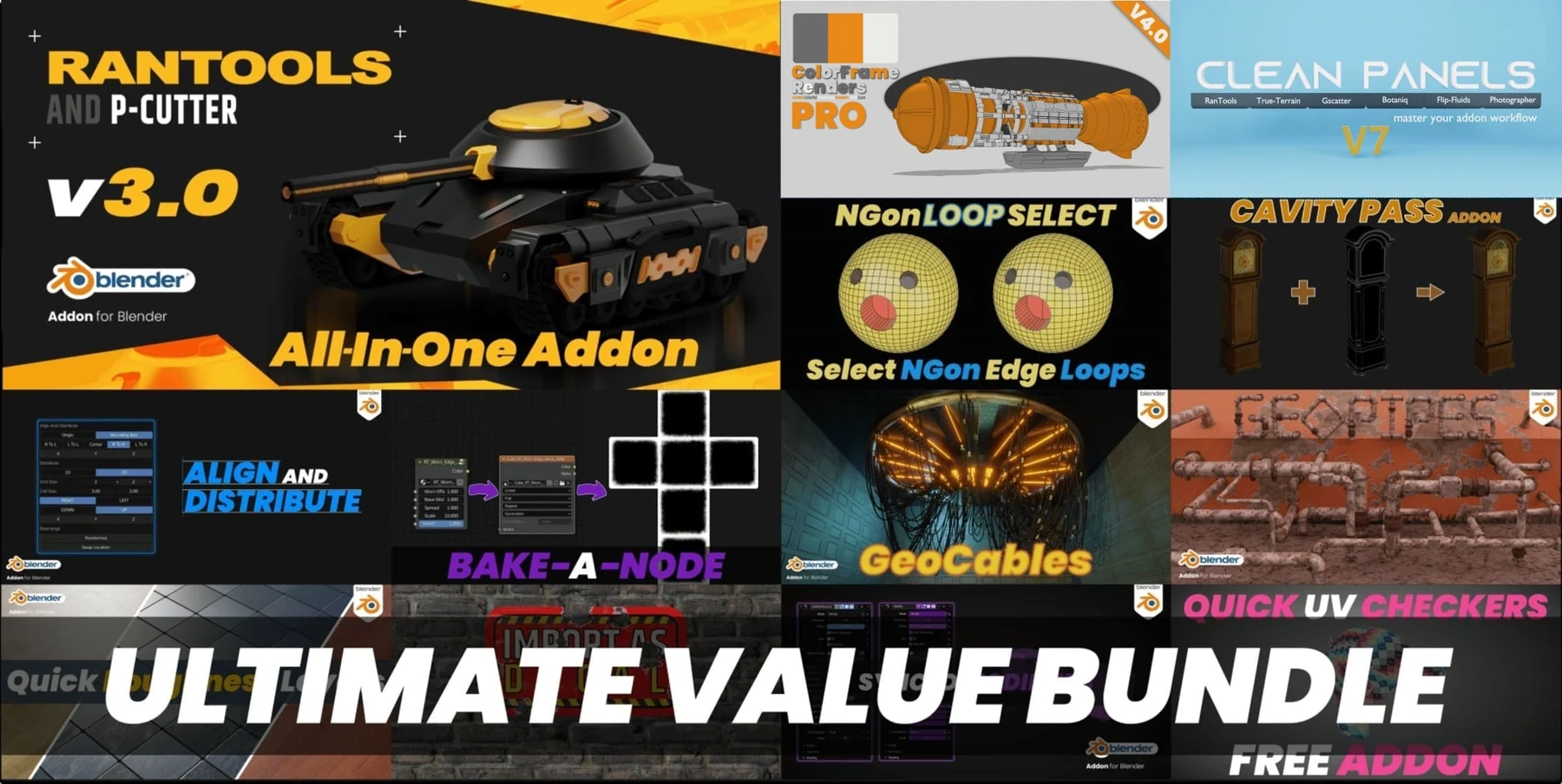

An assortment of Hard Surface tools, Rendering tools, Light tools, Modifier tools, Texture Baking tools, and so much more!
RanTools is your one-stop-shop for Blender tools: bundled with a tool for every need, be it creation, detailing, presentation or rendering.
With an unparalleled grid-based boolean and draw system, a single-click solution to Boolean cleanup, modifier presets, tools to add wires and simulate them with one click, and backup tools to help you manage object backup versions like a pro, working will never be this easy and efficient.
Video Demos
Full walkthroughs of the tools you just saw
What's New
Three major releases of new tools — here are the headline additions
New HDRI Library and Advanced World Shader
Fast Cutter Mode for P-Cutter
Asset Browser Support for Material Library (Blender 3.0+)
Improved Cloth and Cable Simulations
Align Grid to Vertex and Face Mirror for P-Cutter
Synced Modifiers Integration
Material Library and Material Mixing (Node Mixing Menu)
P-Cutter Boolean System
Draw perfection with absolute precision using the new P-cutter! Use grid, inset points, angle snapping, and intersect snapping to draw shapes the way they're meant to be!
Boolean Cleanup
A straightforward, painless solution for cleaning boolean cuts! No more sliding and merging hassles! Precise control via easy-to-use sliders!
Cable Tools
Create cables, generate multiple wires, simulate or apply objects on elementary curves to create custom curves!
Creating cables has never been easier! Two clicks is all it takes!
Convert single wires to multiples, in a radial or parallel pattern.
Simulate wires in real-time, with collisions.
Put any object onto a curve to create custom cables or coverings.
Batch Rendering
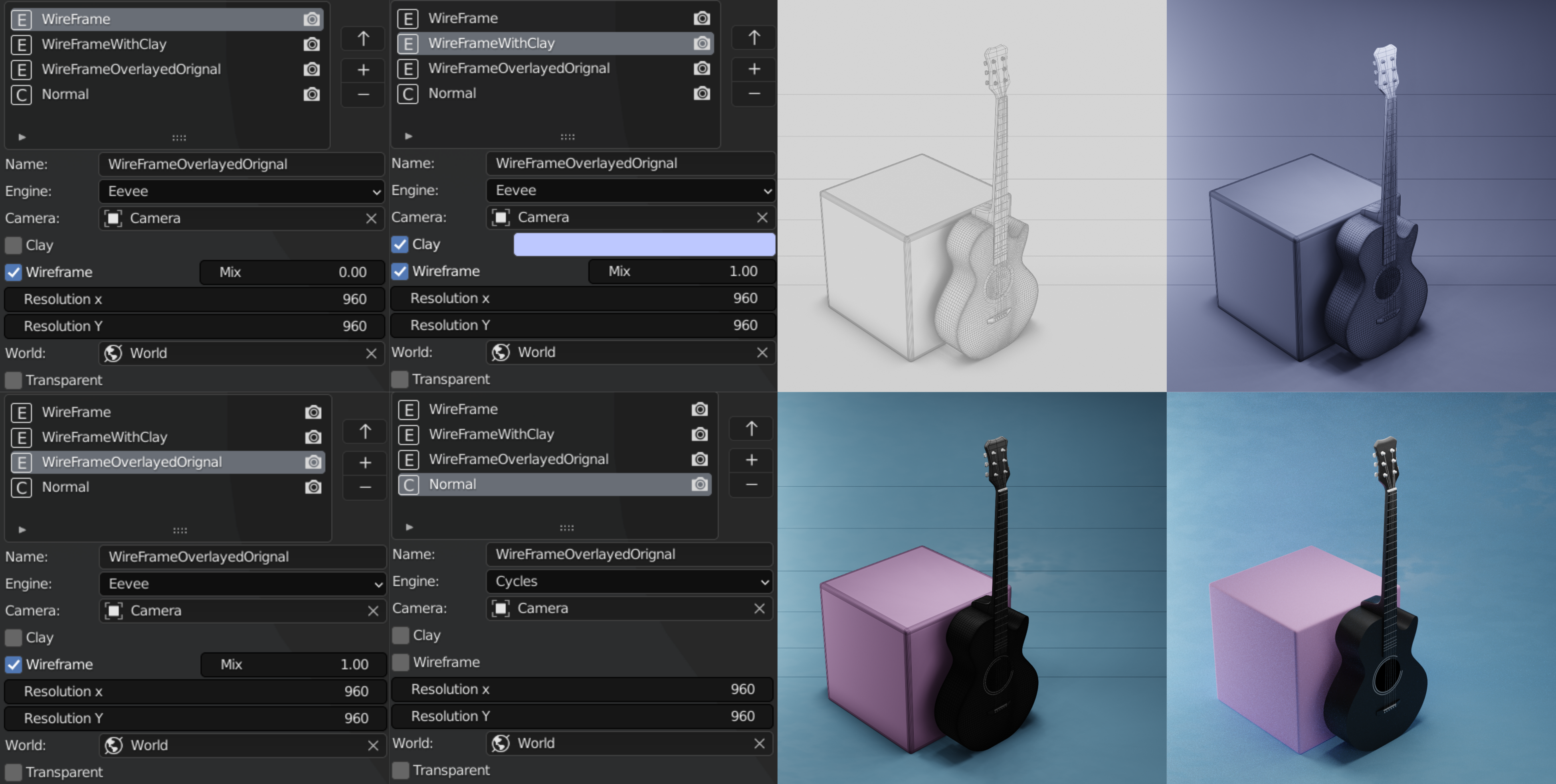
Showcase the best of your art via camera and rendering tools! Set aspect ratio, resolution, shutter speed and focal length, all from one menu with a single click, and effortlessly add backdrops and lights! Using batch rendering tools, create rendering presets and render with different angles, cameras and settings! Also, generate clay and wireframe renders of your models!
Batch rendering of an object with 4 presets:
One-Click Backdrops and Light Setups
Modifier Presets
Save time with modifier presets! Store single modifier settings or even entire modifier stacks as presets! Load them again with a single click, without having to rebuild from scratch! Use these presets to create non-destructive meshes from a single vertex, auto-update object fields of modifiers on an active object with previously selected objects, and much more!
Preset Examples
Quick Modifier Adjust
Increase productivity with adjust modifiers! Adjust existing modifiers on-the-fly, directly from the viewport, via the Booleans pie menu!
Backup Manager
Work like a pro! Use BackUp Manager to create and manage backup versions of your objects! Quickly switch between object versions without worrying about children or associated cutters! Transfer normals along versions to fix shading artifacts!
Amazed? There's More!
Discover the additional powerhouse tools built into RanTools
Material Tools
- Access 1500+ PBR materials from ambientcg.com right from the viewport using Material Library*
- Apply a clay material over objects, while optionally skipping translucent ones!
- Toggle the UV Checker texture on and off via the pie menu!
- Drag n' drop materials from a face or object to another seamlessly with the Material Dropper!
- Make small changes in materials directly from the viewport via Quick Adjust!
- Seamlessly setup all PBR textures from directories and subdirectories with a single click!
Texture Baking Tools
- Full PBR Baking Suite to quickly bake your materials
- Bake bevel maps with ease! Empty normal sockets are automatically found to add the maps!
- Bake simple or worn edge masks to enhance material details!
- Bake single and multiple textures at the same time, even for multiple objects!
- Eliminate the tiring tasks of manually creating and selecting images, and leave it all to RanTools!
Light Groups
- Light grouping tools let you control and manage multiple light sources together as groups.
- Select, delete, dissolve groups with one click!
- Within groups, also change intensities or randomize colors with single clicks!
- With multiple groups, you can isolate one to see its independent effects on the scene - hassle-free!
Random / Miscellaneous Tools
...and a lot more!
* The Material library and HDRI Library depend on ambientcg.com and Polyhaven.com for textures and HDRIs and require an active internet connection to download new textures. (Although you can use already downloaded textures and HDRIs from the offline section). Just keep in mind if in an extremely rare situation the site is down (or API becomes paid) you won't be able to use the online library. Using a VPN can also sometimes cause connection problems.
Frequently Asked Questions
Everything buyers ask before picking up RanTools
Which Blender versions does RanTools support?
Which operating systems are supported?
Do I need an internet connection to use it?
What exactly do I get?
Is there documentation?
How do I get help if I run into trouble?
Documentation & Support
Full written documentation
Every tool, every option, every shortcut — searchable and always up to date.
Read the whole page? Here it is again.
$33.75 for RanTools plus 17 more add-ons — $56.25 off what they cost separately. Ends 14th August, 11:59 PM.
Get the Ultimate Value Bundle