NGon Loop Select
Select edge loops around NGons in a single step, instead of picking your way around them by hand.
Get NGon Loop Select — or get all 18 add-ons
The Ultimate Value Bundle includes NGon Loop Select and 17 more add-ons. Offer ends 13th September, 11:59 PM.
Get the Ultimate Value Bundle →
Usage
Install the add-on and you're set — there's nothing to configure.
- Double-click any edge to select the loop, or select an edge (it must be active) and press D.
- Hold Shift to select more loops.
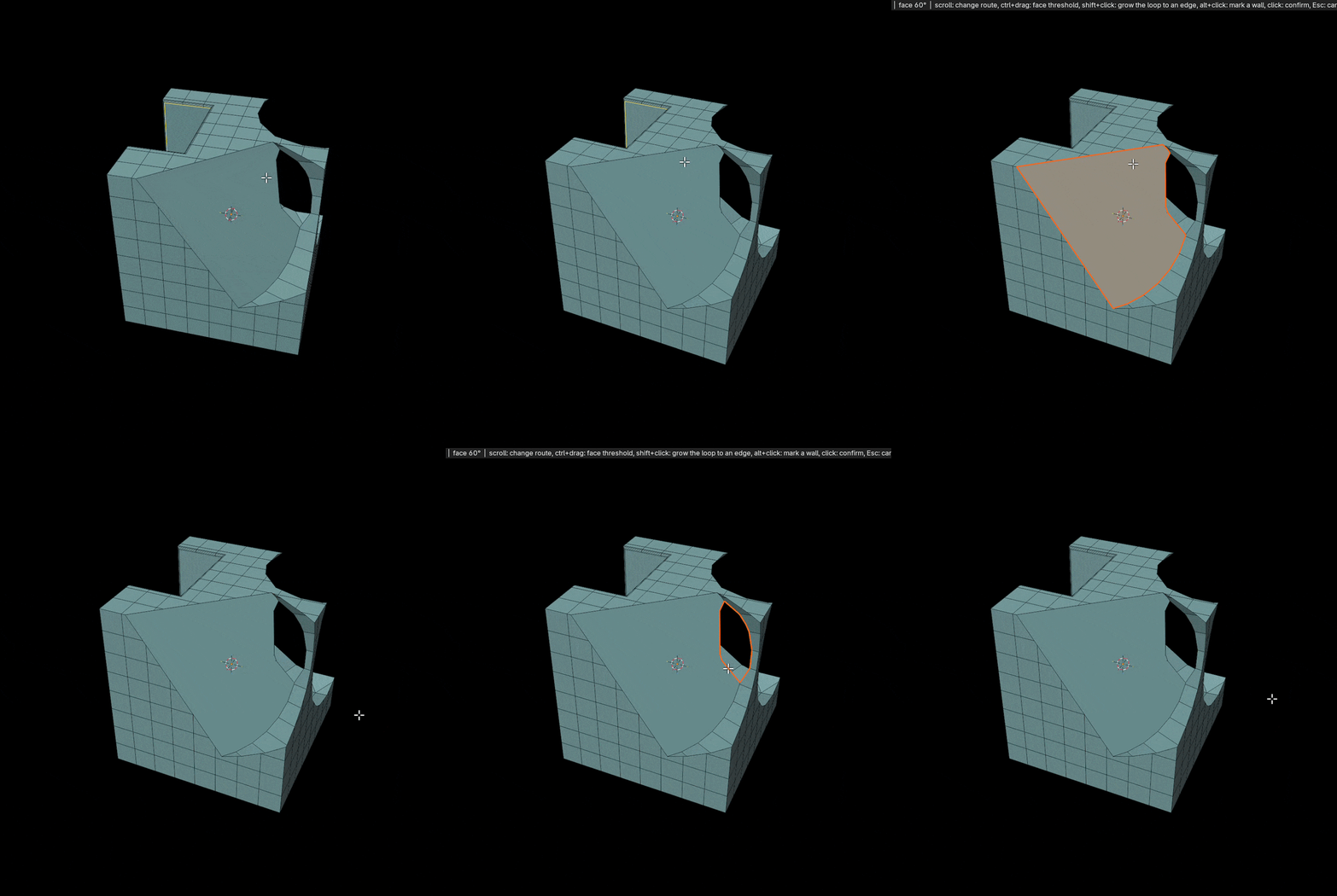
- Hold Shift+Ctrl and double-click to select the boundary loop of all coplanar faces.
New in V4.0
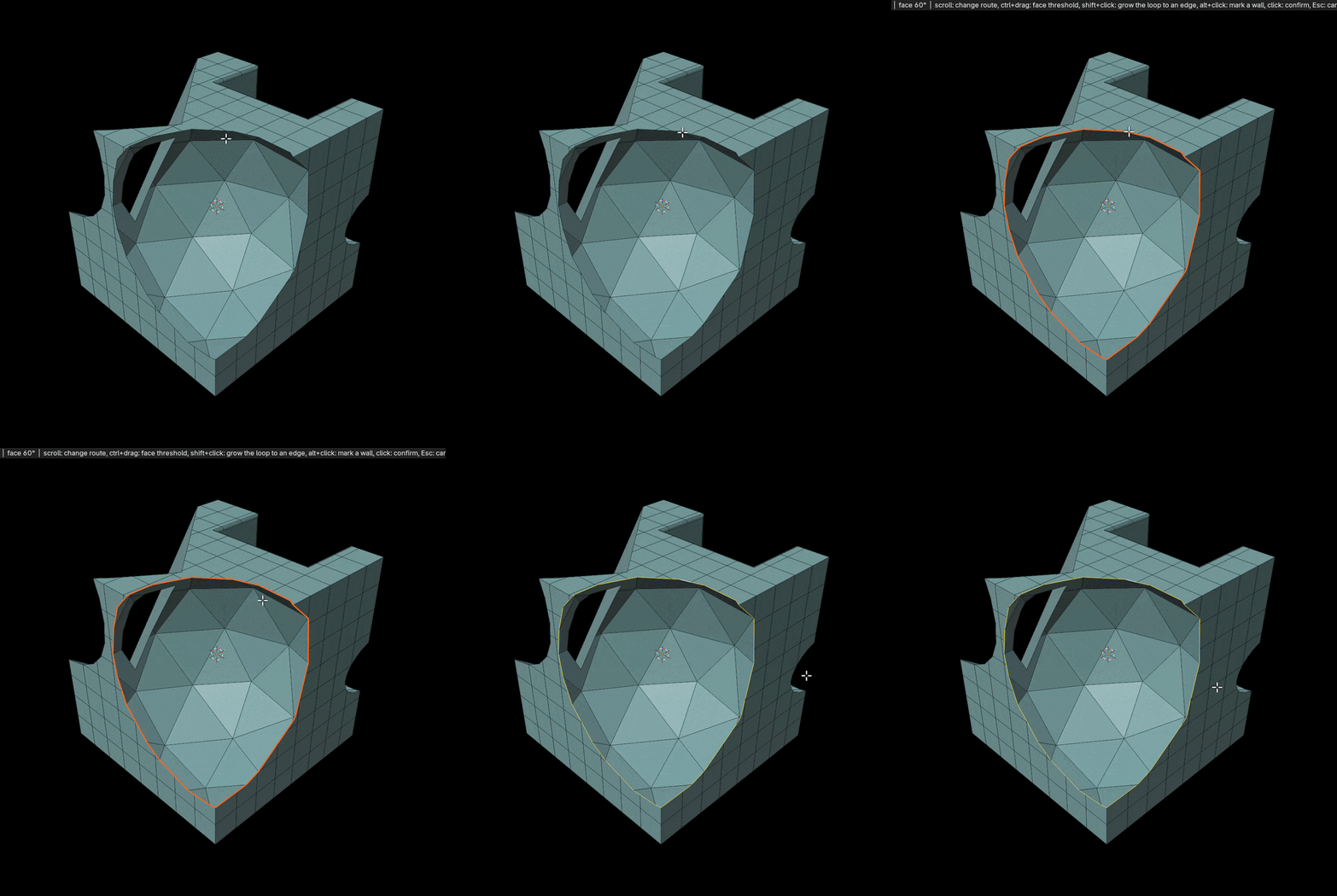
The loop now shows as an orange preview before anything is selected, and you can steer it without starting over. Click to keep it, or press Esc or right-click to cancel.
Take the loop through another edge
Shift+click a second edge and the loop is rebuilt to run through both. If that closes a new loop, you get just that loop.
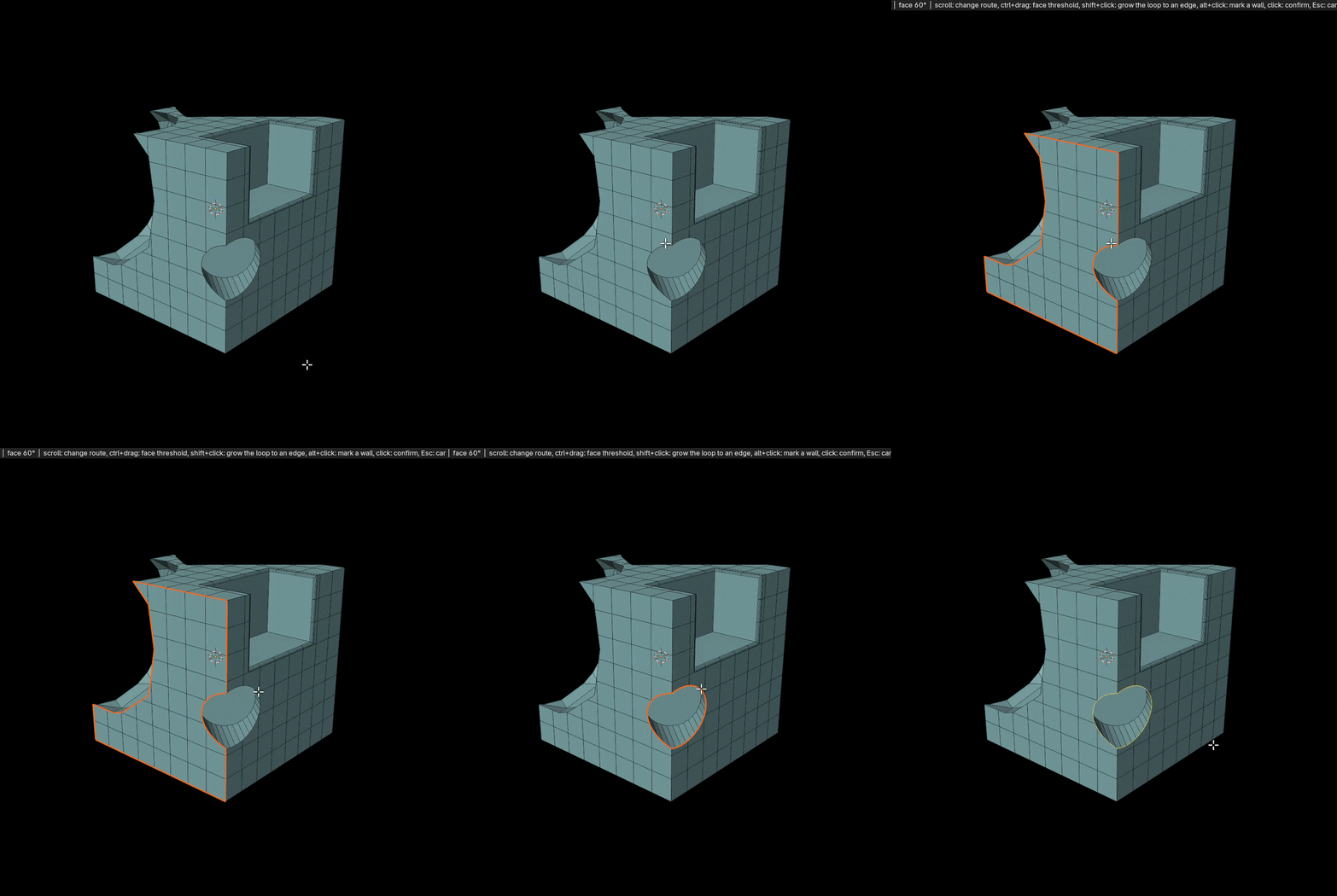
Drag the face threshold
Hold Ctrl and drag left or right to change how sharp a crease the loop may cross, and watch it update as you go.
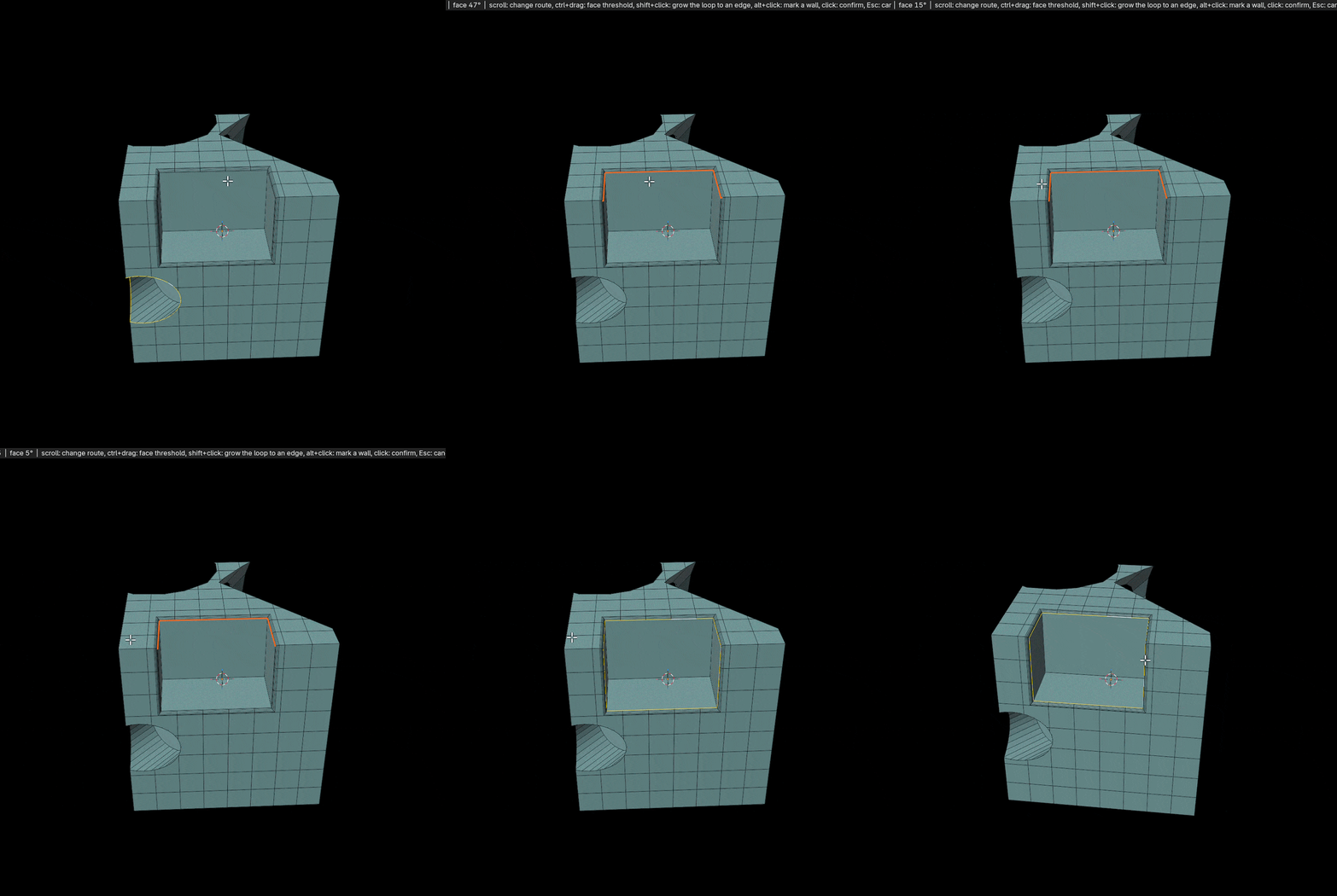
Rims come back whole
Loops that follow a rim, such as a chamfer, a bevel or the outline of a cut, come back whole whichever of their edges you click, as in the chamfer at the top of the page.
More ways to steer it
Alt+click an edge to mark it as a wall that no loop may cross; if that lets the loop close, it jumps straight to the closed loop.
When an edge could belong to more than one loop, scroll the mouse wheel (or use the arrow keys) to step through them. Every route on offer runs through every edge you picked.
Preferences
- Show All Routes At Once draws every possible loop together, each in its own colour, so you can click the one you want instead of scrolling.
- Classic Loop Select switches back to the V3 behaviour: the loop is selected straight away, with no preview or route picking.
Release notes
- Live preview of the loop before it is selected.
- Scroll through alternative routes, or show them all at once and click one.
- Ctrl+drag the face threshold, Shift+click to grow the loop, Alt+click to mark walls.
- Loops along a rim are found from any of their edges.
- Classic Loop Select preference to keep the V3 behaviour.
- Improved algorithm for better selection.
- Double-click the same edge again to retry with a larger face-angle threshold.
- Shift+Ctrl double-click selects the boundary loop of all coplanar faces.